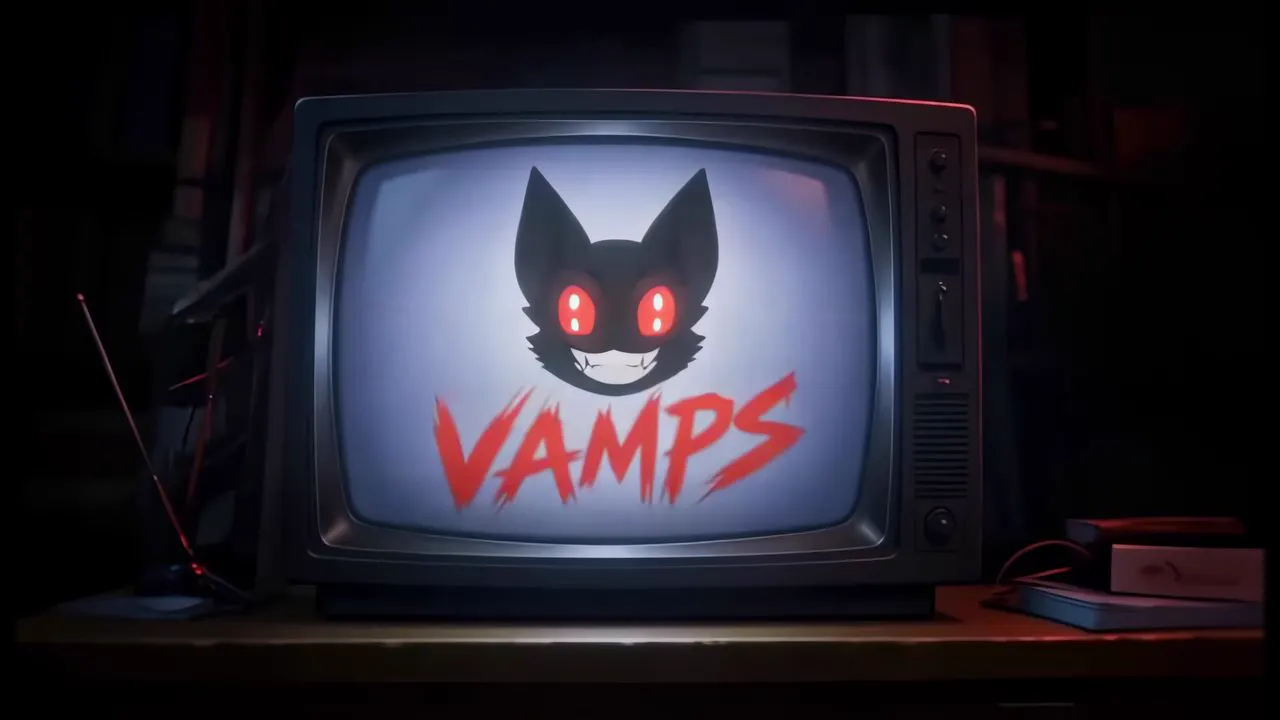

The whole edit in one place.
Tenvek keeps editing, compositing, color and AI mattes in one project. Cut on the timeline. Build effects in nodes. Cut a subject out with a click. No round trips between apps.
Every page, one project.
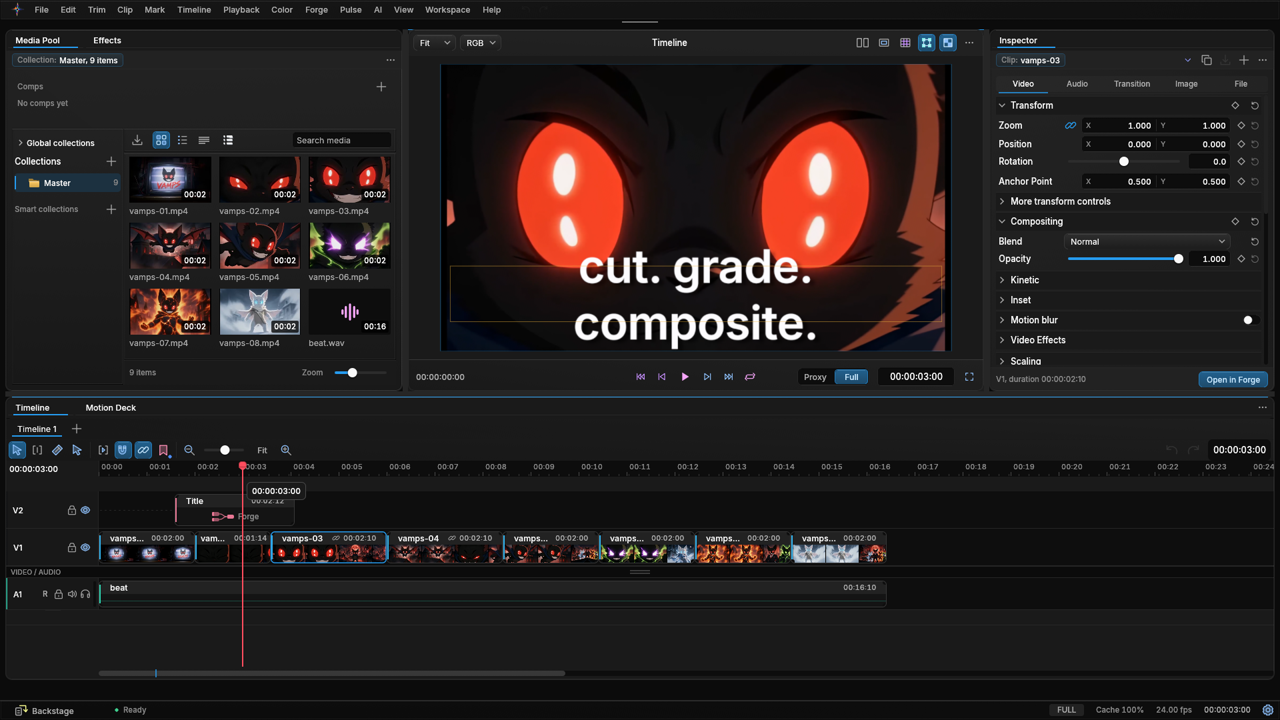
- EditA multi-track timeline with a media pool, viewer and inspector.
- ForgeA node graph for effects and composites.
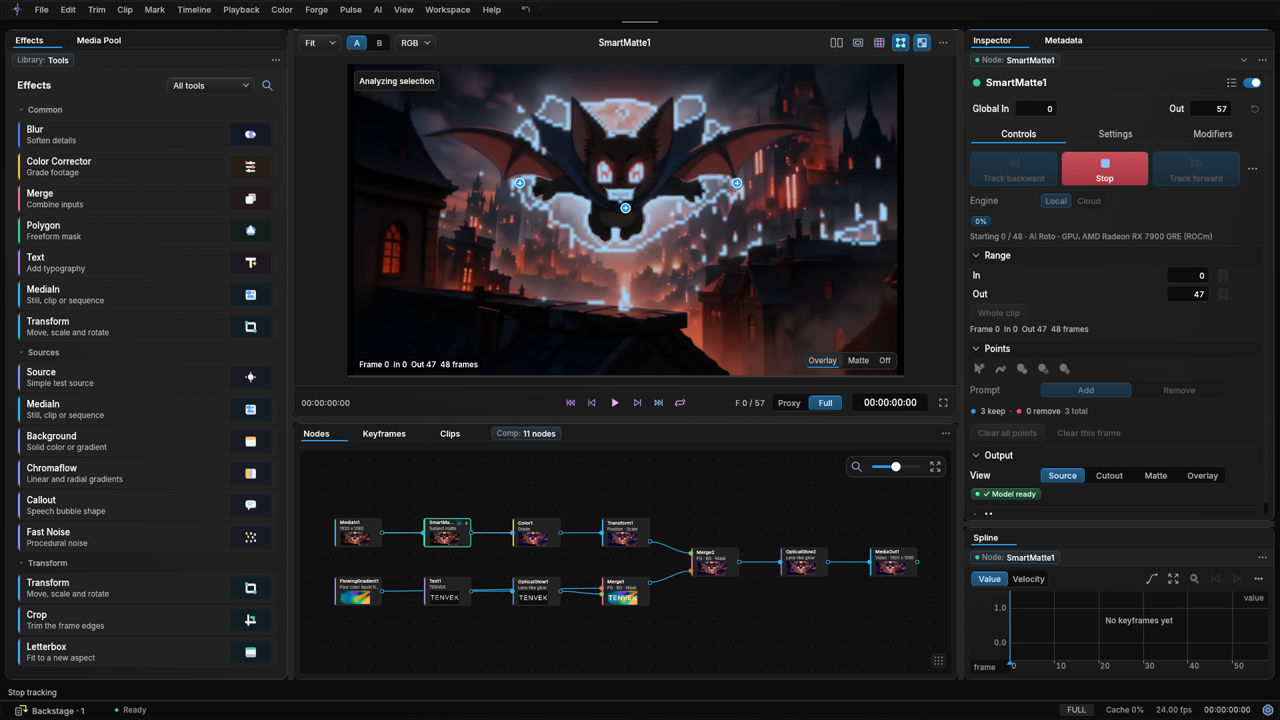
- Smart MatteClick a subject and AI Roto tracks it through the clip.
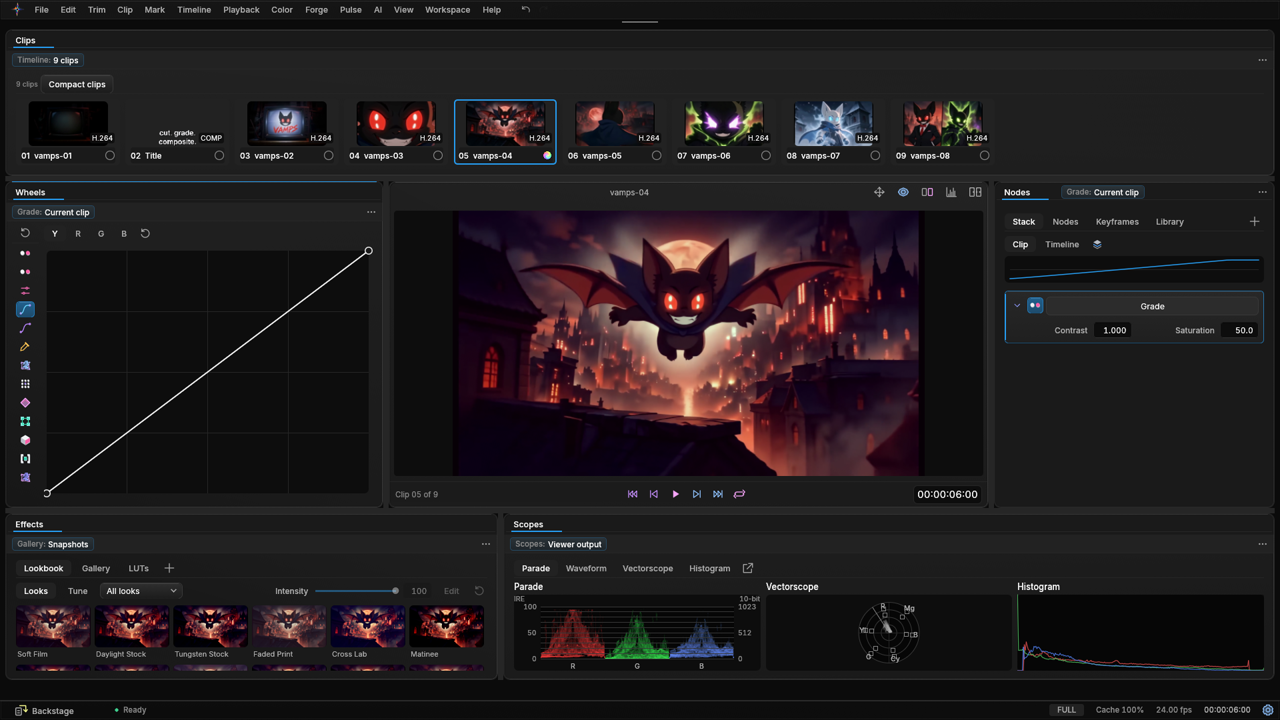
- ColorWheels, curves, scopes and looks.
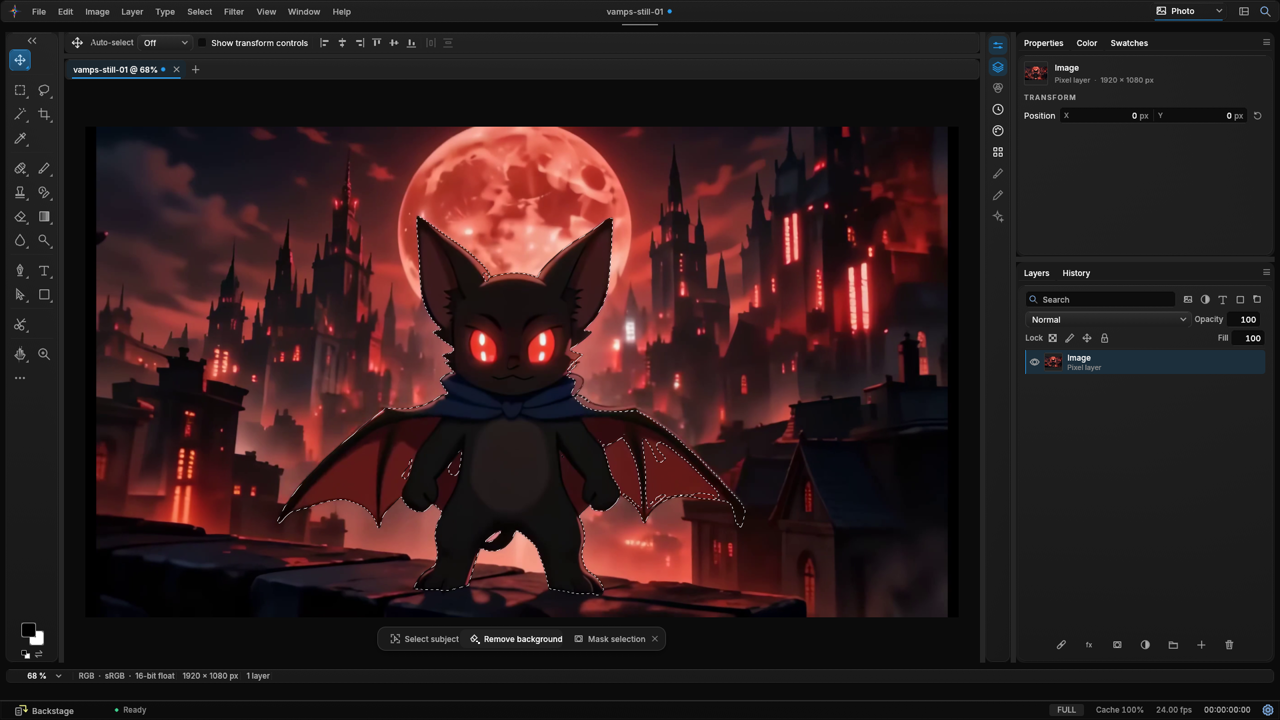
- Image StudioSelect a subject and remove the background.
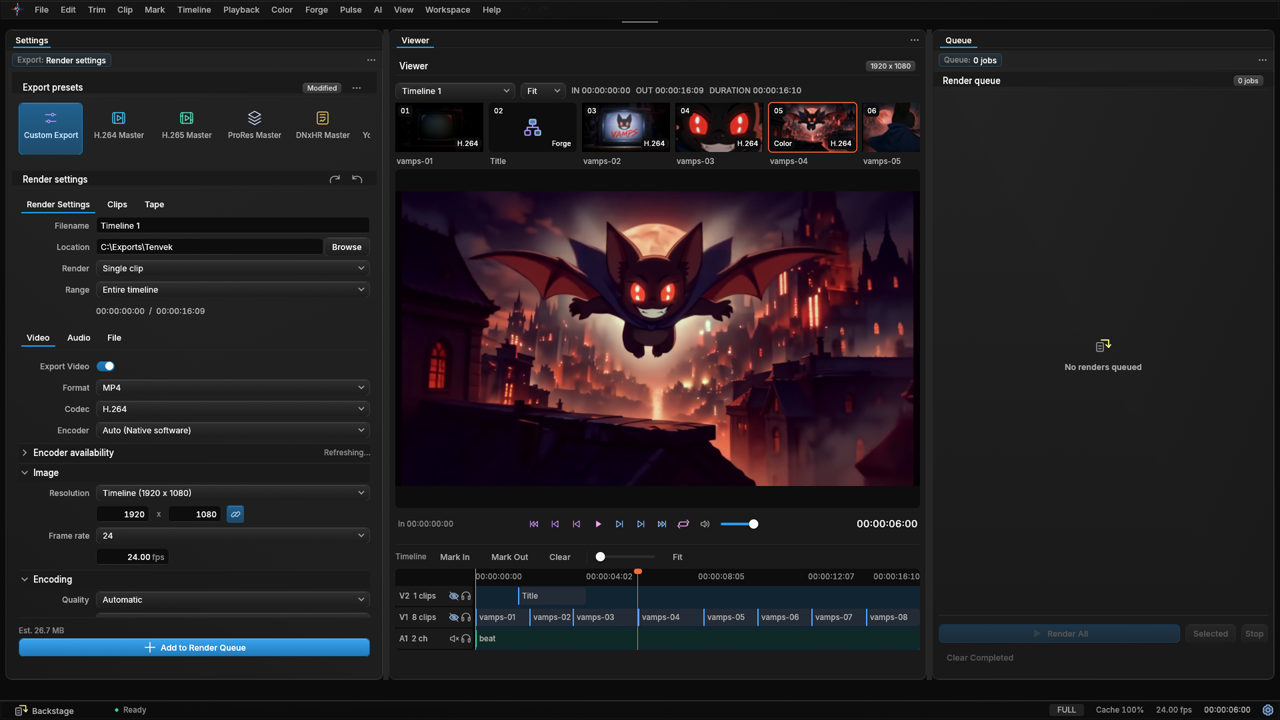
- DeliverExport presets and a render queue.


Cut fast on a timeline built for speed.
The media pool, viewer, inspector and timeline share one page. Stack video, title and audio tracks and start cutting.
- Multi-track timeline with video, title and audio tracks
- Split, ripple delete, undo and redo
- Media pool with collections, a viewer and an inspector beside the timeline
- Render in Place turns a clip with effects into one that plays smoothly
Build looks and composites with nodes.
Forge is a node graph for effects. Wire media, mattes, color, text and glow into one composite.
- Node graph with media in, Smart Matte, color, transform, gradient, text, glow, merge and out
- Effects library: Blur, Color Corrector, Merge, Polygon, Text, Transform, Background, Chromaflow, Fast Noise, Crop and Letterbox
- Keyframes and a spline editor under the graph
- An inspector with live controls for the selected node
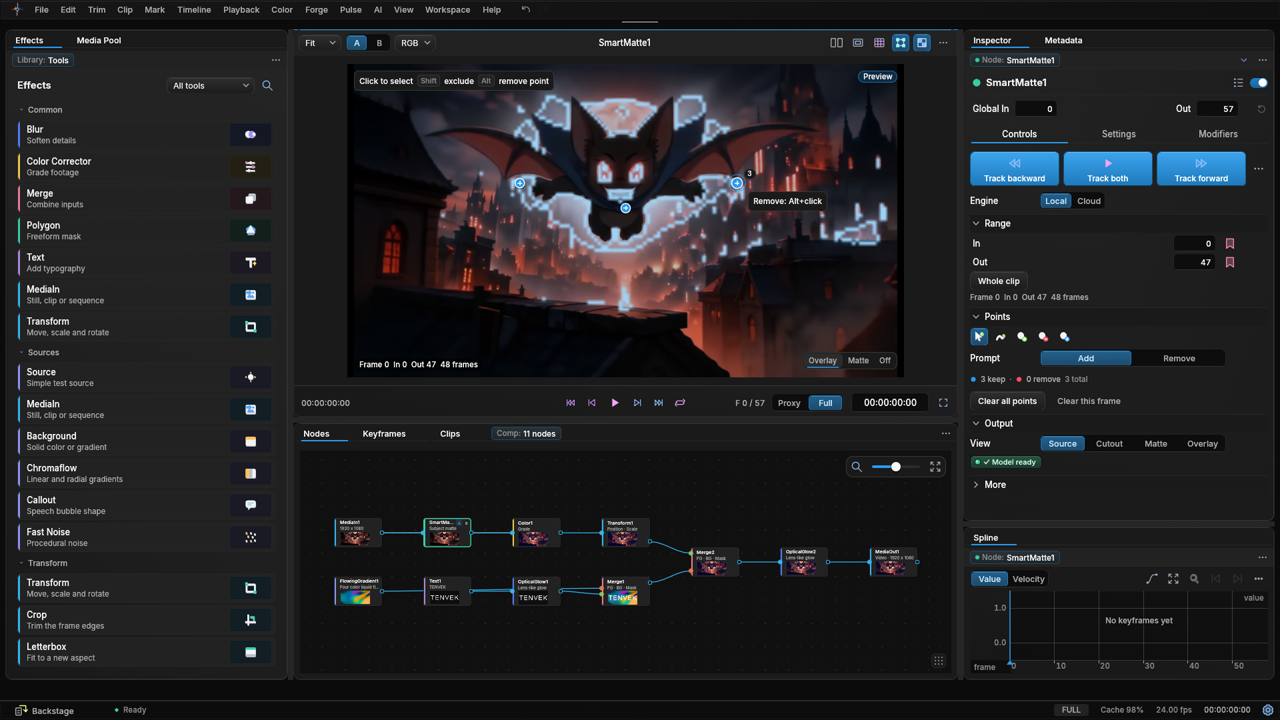
Click a subject. Smart Matte cuts it out.
Add points on what you want to keep. AI Roto tracks it through the clip.
- Click to add or remove points, with a live selection overlay
- Track backward, forward or both across the range you set
- AI Roto runs MatAnyone2. Click selection runs SAM 2.1.
- Run it Local on your GPU or in the Cloud on ours. Cloud is free in the alpha.
Runs on your GPU. Your footage stays on your PC.
Runs on our GPUs. Free in the alpha. Made for slower graphics cards.
Frames are sent only when you choose Cloud. They are deleted after the matte comes back.
Grade with wheels, curves and scopes.
Color has its own page. Grade a clip, check it on the scopes and try a look.
- Lift, gamma, gain and offset wheels, with temp, tint, contrast, pivot and mid detail
- A curves editor for precise tone control
- Scopes: parade, waveform, vectorscope and histogram
- Looks such as Soft Film, Daylight Stock and Tungsten Glow, with an intensity slider and LUTs

Remove a background in one click.
Image Studio is a photo workspace inside Tenvek. Work on stills with tools, layers and history.
- Select subject finds the subject for you
- Remove background leaves a clean cutout on a transparent layer
- Layers with masks, plus a history panel
- Depth maps and relight with the optional Depth pack

Motion typography, built in.
Put titles on a title track and animate them over your footage.
- Title clips on their own track above the video
- Animated text over live footage in the viewer
- A Text node in Forge for type inside a composite
- Local captions from speech with the optional Captions pack

Export when you are ready.
Pick a preset, set the render and add it to the queue.
- Export presets: H.264 Master, H.265 Master, ProRes Master and DNxHR Master
- Render settings for filename, location, range, format and codec
- A render queue for your exports
- Hardware encoding, including NVENC on NVIDIA cards
Built for your GPU.
Setup checks your graphics card and driver, then installs the runtime that fits.
Try the alpha. Hold a Vamp.
Tenvek 0.1.0 is a free public alpha for Windows 11. Connect the wallet that holds your Vamp and download.